Goodbye Brush Installer – Hello Brush Manager
Studio|chris is happy to announce the newest release of the Studio|chris Brush Installer, completely refreshed and renamed as the Studio|chris Brush Manager – a dedicated solution to installing and maintaining Corel Painter brush libraries and categories. This release marks the first public release carrying the new Brush Manager name. This is an exciting release because it brings in a lot of features requested by the community and brings compatibility to every version of Painter, all the way back to version 7 and also into the foreseeable future. The preliminary versions of the Brush Installer were merely a proof-of-concept – it’s time to get serious. Here’s what’s new:
- Refreshed user interface – The interface has undergone a massive overhaul to allow a simplified brush installation process and also allow for future updates to bring more functionality.
- The Drop Box – The three installation boxes of the previous version are gone and replaced with a single drop box that just works, no matter your operating system.
- Settings & Utilities Panel – Yes, the Brush Manager now has user settings. This brings in support for the 64-bit versions of Windows, multiple versions of Corel Painter, and custom install locations.
- Application Updates – Located in the Settings panel, users with an active internet connection may choose to install updates to the Brush Manager with two clicks – one to check for updates and one to download and install.
The Brush Manager 0.6 is immediately available for download and installation. Hope you all enjoy it!
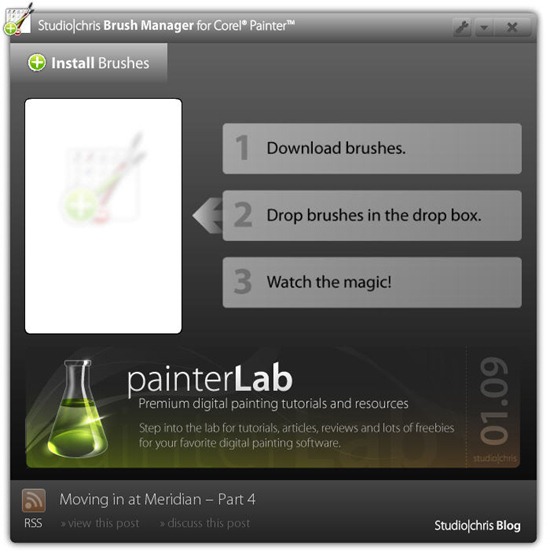
Install brushes to Corel Painter with no effort at all. Drop a ZIP file containing a brush category onto the drop box and watch the Brush Manager do all the work for you in seconds!
Also – many thanks to all the testers who have helped along the way. I couldn’t have put this out for everyone without your help.